How to Do a High Volume in Pinning for Pinterest
Master high-volume pinning on Pinterest without spam flags! Let’s dive into achieving Pinterest success with best practices for spam-free living.
High-volume pinning is a powerful tool for content creators, small business owners, and new bloggers who are looking to boost engagement and drive Pinterest traffic to their blog posts or e-commerce store. By strategically creating and sharing fresh pins, you can reach weekly Pinterest users and holiday shoppers on this visual discovery engine. However, pinning content in large quantities risks triggering Pinterest spam filters, which can limit your reach and harm your Pinterest account.

What to Expect in This Article
This complete guide outlines seven key steps to execute high-volume pinning effectively. Whether you’re promoting a not-for-profit organization or a personal blog, these best practices will keep your Pinterest strategy spam-free and successful.
Let’s dive into achieving Pinterest success without the constant pressure of being flagged!
But first things first: Here’s a list of things you can expect to find in this article:
Plan your pins strategically
To succeed with high-volume pinning, start with a strategic plan that balances quantity and variety. Creating 8–10 unique pins per blog post or piece of content increases your reach by offering new readers multiple ways to discover your content. Each pin should have a distinct pin design, pin title, and engaging copy to appeal to specific audiences, such as Gen Z or home decor enthusiasts.
For example, if you’re a food blogger sharing a recipe, design pins with different visuals: one highlighting the dish, another focusing on ingredients, and a third with a strong call to action like “Try This Now!” This approach mimics computer programs that vary outputs to optimize results, ensuring quick access to diverse Pinterest users. By planning fresh pins, you align with the initial condition of Pinterest’s algorithm, which favors unique content over repetitive posts.
Quick Tip: Use Canva to create varied pin designs and incorporate SEO-rich keywords like “easy recipes” or “holiday gift ideas” in your pin descriptions. This enhances search results visibility and supports your blogging goals without risking spam flags.
GET YOUR FREE
The Pinterest Profit Starter Kit
When you enter your name and email below
Space out your schedule
A common mistake in high-volume pinning is posting all new pins at once, which Pinterest views as repetitive activity and will trigger spam filters. Instead, space out your schedule by pinning each pin (that points to the same URL or blog post) with a 3-day interval in between. This ensures your pins appear natural, like a thin liquid film flowing steadily rather than flooding the platform.
For instance, if you have 10 pins for a blog post about home organization, post the first on Monday, the second on Thursday, and the third on Sunday. This periodic boundary condition keeps your Pinterest account active without overwhelming weekly Pinterest users. It also aligns with experimental results showing that staggered posting reduces the installation force of spam detection algorithms, maintaining a consistent presence.
Quick Tip: Track your pinning schedule in a network storage device like Google Sheets to ensure 3-day intervals are maintained. This can help prevent duplicate URL pinning and support peace of mind in your Pinterest strategy.

Avoid duplicate URL pinnings
Posting multiple pin designs with the same destination URL in a short timeframe is a surefire way to get flagged as spam. Pinterest’s algorithm monitors for repetitive activity, and duplicate URL pinnings can signal overpromotion, reducing your visibility. To avoid this, ensure each fresh pin with the same URL is spaced out, ideally by 3 days or more, to mimic natural user behavior.
Think of this as managing a dislocation structure in a representative tensile test result—too much strain (duplicate pins) in one area (timeframe) causes a break (spam flag). Instead, diversify your new pins across different blog posts or new products to maintain good agreement with Pinterest’s guidelines. For example, alternate pins for a holiday gift guide with those for a recipe post to keep your Pinterest boards varied.
Quick Tip: Use affiliate links strategically in pin descriptions, but avoid linking multiple pins to the same e-commerce store URL simultaneously.

Use a Pinterest scheduler
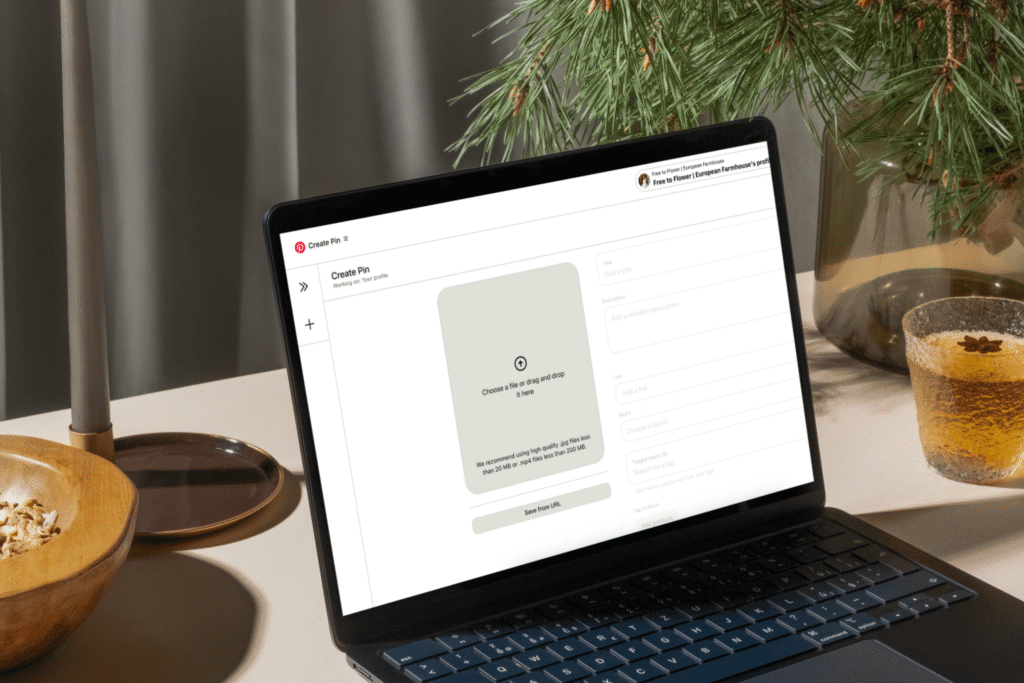
Manually posting new pins is not fun for new bloggers or small business owners balancing a day job. A Pinterest scheduler like Tailwind automates your content plan, ensuring consistent intervals and fresh pins without much time spent daily.
A scheduler allows you to batch schedule new pins weeks in advance, aligning with best times (e.g., evenings or weekends) for weekly Pinterest users. Alternatively, a Google Sheets spreadsheet can track pin designs, SEO keywords, and posting dates, acting as a network storage device for your Pinterest strategy. This automation also reduces burnout and ensures your workflow is consistent over time.
Quick Tip: Set up Tailwind to post 8–10 unique pins per blog post over a month, spacing them 3 days apart.
Focus on quality pins
High-volume pinning doesn’t mean sacrificing quality. Each new pin must have a strong design, engaging copy, and SEO-rich keywords to stand out in search results and attract new readers. Poor-quality pins get ignored or flagged.
- Strong Design: Use Canva or Photoshop to create visually appealing pin graphics with vibrant colors and clear text overlays. For example, a home decor pin should highlight a cozy aesthetic to appeal to specific audiences.
- Engaging Copy: Write pin descriptions with strong calls to action, like “Discover Easy DIY Tips!” Include SEO keywords such as “holiday gift ideas” or “quick recipes” to rank higher.
- SEO Optimization: Research keywords using Pinterest Trends or Google Keyword Planner to align with weekly Pinterest users’ searches. Use the words your audience uses.
Quick Tip: Test pin designs on a secret board to gauge engagement before posting publicly. This experimental result helps refine your content creation for better results and avoids spam filters.

Monitor analytics
To ensure your high-volume pinning strategy works, monitor analytics regularly using Pinterest Analytics or Google Analytics. Track metrics like click-through rates, saves, and blog traffic to identify which new pins resonate with your target audience.
For example, if a certain pin design for a holiday gift guide drives more traffic, create similar fresh pins with SEO-rich keywords. If another pin underperforms, adjust its copy or pin graphic. Pinterest Analytics also reveals best times to post, ensuring your pins reach Pinterest users effectively.
Quick Tip: Review analytics weekly to stay ahead of trends. Use insights to refine your content plan and maintain peace of mind in your Pinterest strategy.

Avoiding the spam trap
High-volume pinning is your current ticket to Pinterest success, but only if done correctly. Pinterest spam filters are designed to catch repetitive activity, duplicate URL pinnings, or low-quality content, which can limit your pinned volumes or suspend your Pinterest account. Here’s a list of things to avoid:
- Overposting: Don’t pin more than 10 unique pins per blog post in a short time scale; this mimics spam behavior.
- Duplicate Content: Avoid repinning the same pin graphic or URL repeatedly, as it negatively triggers the Pinterest algorithm
- Low-Quality Pins: Ensure each new pin has a strong design and SEO keywords to avoid being flagged as irrelevant.
- Ignoring Analytics: Failing to monitor experimental results can lead to ineffective pin designs that waste your time.
By following the six steps above, you’ll maintain a consistent presence without triggering spam filters.

What now?
High-volume pinning can be a game-changer for Pinterest, driving blog traffic and new readers to your blog posts or e-commerce store. By planning strategically, spacing out your schedule, avoiding duplicate URLs, using a scheduler, focusing on quality, and monitoring analytics, you’ll maximize pinned volumes without being marked as spam.
For small business owners, content creators, or new bloggers, high-volume pinning done right works wonders.
FAQs
Pinterest on autopilot?
Drive TARGETED traffic to your blog with our expert management and tailored growth strategies.
Get a FREE Pinterest audit below.
A word from us:
Hi, We’re Blog Bloom!
Do you feel that your blogging dreams are about creating a life with purpose, freedom, and fulfillment, yet in reality, some days it feels like drowning elegantly is the best you’ve got?
There are only so many hours in a day!
We know the feeling.
We’re here to help you remember how it feels not just to thrive financially, but to do it in a way that aligns with the life you want to live and the impact you want to make.
That’s our mission
We will personalize a strategy just for you, so you can get what you want out of blogging, and let us take care of everything else
We know every blog is unique, with its own distinct needs. There’s no one-size-fits-all path to success—your goals can be achieved in countless ways, and we’re here to tailor the perfect strategy for you.
- One-on-One Support: From eBook creation to social media management or running your Facebook community, we provide personalized help for all your unique needs.
- Branding That Fits You: If you have existing branding, we use it seamlessly to maintain your unique identity, or craft a tailored branding package if you need one.
- Pinterest-Powered Traffic: Our expert Pinterest management drives targeted visitors to your blog. Choose the package that best fits your blogging needs to skyrocket engagement.
- SEO Blog Writing: We create SEO-optimized blog posts and update existing content to boost search rankings and keep your audience engaged.