Best Tips for Organizing a Blog: From Ideas to Content
Discover the best tips for organizing a blog, from capturing ideas to publishing your first post. Perfect for beginners, this guide covers ideation, planning, writing, and more to kickstart your blogging journey with confidence. Start creating impactful content today!
If you’re an experienced blog writer and you clicked into this article, what are you even doing here?
You’ve got years of blogging under your belt!
This is for people just starting out. If that’s you, then maybe we can give you just that nudge you’ve been needing to do the hardest of all things with anything new: Take your first step.
So, you’ve got a good idea for some new content, but you’re unsure what to do with it all.
Maybe you have a full-time job, and there never seems to be enough time to take your great ideas from thought to a new blog post
There are different ways to go about everything, but you’re asking us, so:
For us, the best way to get from a good idea to your first shiny new post is to get it out of your head and onto paper (or file).
A great way (ahem, we think, the best way) to do that involves audio files.
But first things first.
Here’s a list of things you can expect to find in this article:

1. Ideation and Capture
The great thing about ideas is that you probably have more subject matter in that head of yours than you realize. You just need an effective way to get it all out!
You have so many things you want to write about, and you have so many things you want to say about each of those things.
Ideas are good things, they just get all jumbled in your head!
You’re passionate about this stuff, but it’s stuck in your head, and you need a content strategy or some great tool to extract it all!
There are two pieces to this, so let’s start at the beginning (a very good place to start).
You need to get your topics down first. Think: all the things you would like to write about (not what you want to say about each of those things. yet.).
The easiest way I know how to do this is with Google Sheets.
Create a new sheet in Google Docs called “blog articles” and type the words “blog content” or “main topics” into cell A1
Then press ‘enter’ and write the first idea that pops into your head into cell A2
Press ‘enter’ again and do the same thing for cell A3 – start typing as fast as you can!
The point of this exercise is to empty your mind of all ideas
You will know you are finished when you have nothing else to type…
…and don’t worry. If, when you are finished, it feels a little anti-climactic: Like you will never have another new idea for a piece of content because you left it all on the field (or spreadsheet in our case), have no fear.
Inspiration is like a cup of water. It is only after you drink what is inside that the muse stops by again to refill it.
So empty your cup! As often as possible, and she’ll be more likely to check in for those regular top-offs

GET YOUR FREE
The Pinterest Profit Starter Kit
When you enter your name and email below
2. Organization and Planning
You know that Google Sheets file you have open?
Now that you have emptied the contents of your mind onto this sheet, its time to organize them. Think about themes. Maybe there are common ideas that run through certain ideas and not others.
If you’re writing a food blog, you might notice the ideas grouping themselves naturally into blog categories like: dessert, breakfast, dinner or maybe its more like: summer snacks, winter drinks, spring salads.
You get the idea. Don’t spend too much time on it. You want to keep moving; the most important thing is to begin to understand where you may be headed.
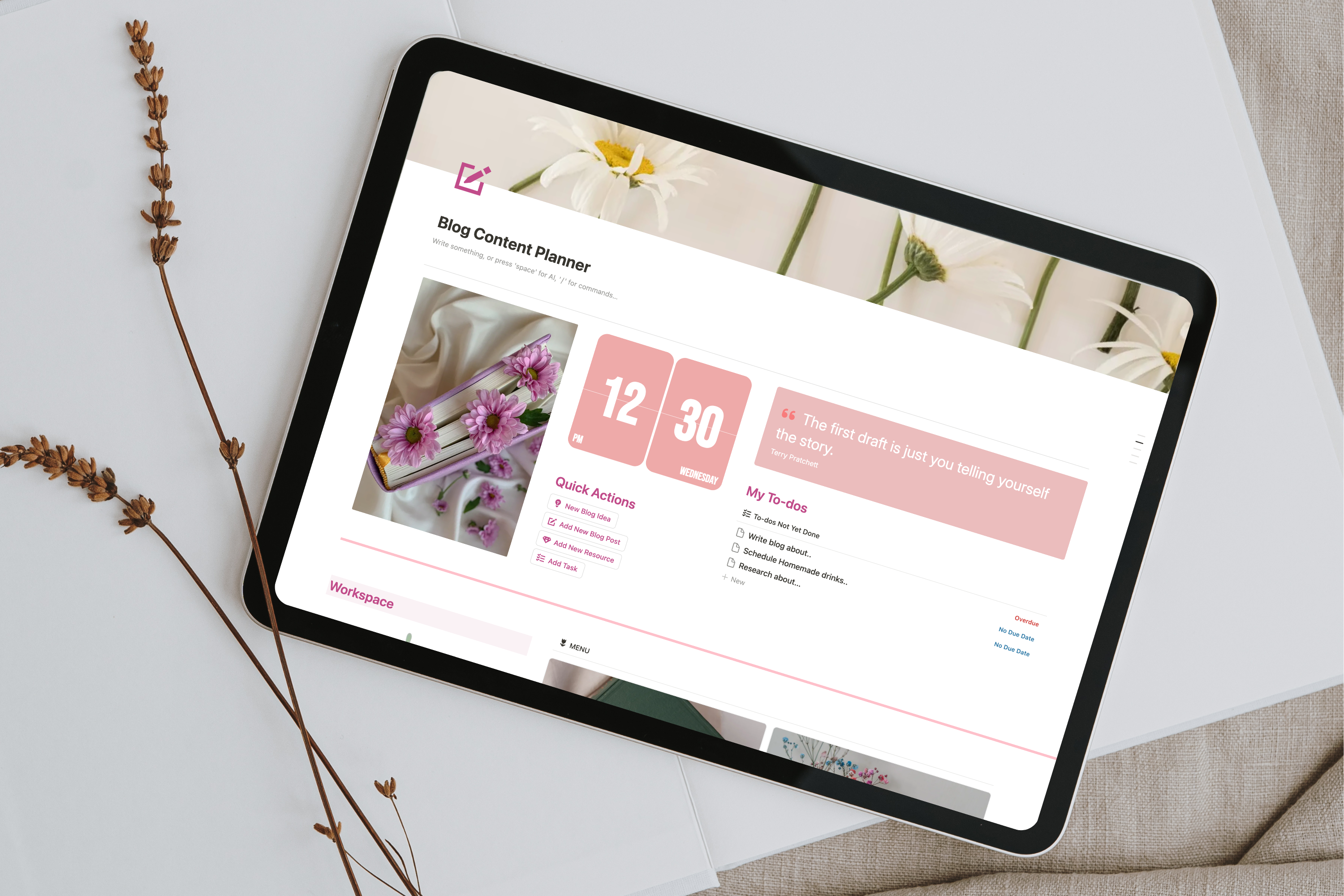
Now we’d like to get to the planning stages, and for that, I like to use Notion.
It’s one of the best professional organizers in the blogging space.
If this seems like a daunting task, don’t worry, I have a FREE template all set up for you.
Grab your FREE copy below ⬇️
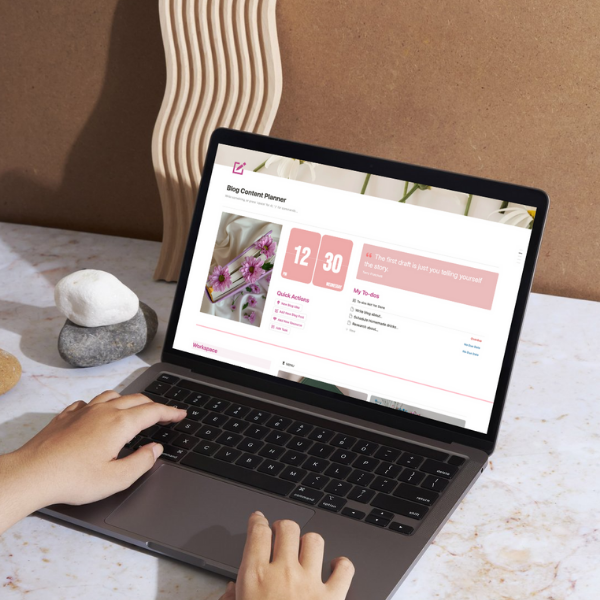
To get started, click on the provided link to duplicate this template into your own Notion workspace.
You can tailor the planner (to-do list, blogging calendar, content calendar, etc) to suit your blog’s theme or your personal workflow
Also, Notion itself is free, so it’s a great place to go for this.
I won’t get into the weeds of “how to use Notion for blog organization,” because we’re on a roll here, and we want to keep this train moving if we want to get you from idea to first published blog post in record time!
When you’re planning, in the beginning, we’d plan to write 2 blog posts per week.
Pick a pace that you can comfortably maintain for at least one year.
You can always go faster, but let’s get some easy wins first!
Pick your easiest ideas and schedule them first. This is your action plan!
3. Writing
Now you’ve got your topics.
You’ve organized them.
You’ve planned out when you will write and publish them.
The day has come. You have your first topic.
Remember that part about audio files?
Time to write your first blog post (part 1):
- We want you to open a Google Doc and start the Voice Typing feature.
- Talk freely for 20 minutes about your topic (side note: using a timer is ok). Remember, this is something you are passionate about, so don’t overthink it, just let the ideas flow.
- Copy the transcript and paste it into ChatGPT with the prompt: “Turn this into a well-structured long-form post in a canvas for editing.”
- Once the draft is ready, ask ChatGPT to generate 10 questions about the post that will help refine and improve it.
- Answer the questions to clarify, expand, or adjust any weak points.
- Have ChatGPT incorporate your answers back into the post for a polished “final draft.”
Now we can hear you saying: “but what about google analytics or other search engines? is this even relevant content? why write if I have no guarantee that there will be any blog readers? I want to make a positive impact!”
First, we should say, if you are passionate enough to speak about something off-the-cuff for 20 minutes, chances are that other people are equally passionate about that thing.
But we want to make sure we have the best chance of reaching those like-minded souls
Here is where we like to introduce one of the more useful tools for answering the questions above and others like them.
Introducing RankIQ (“RankIQ” is hyperlinked, so if you click on it, a new tab will open to that site)**
This is a paid service, but if you want your content to rank (reach those like-minded souls), this is where we would start.
And we did start here.
Time to write your first blog post (part 2):
- Once you have your Rank IQ account set up, Use the Keyword Library search tool to find low competition keywords from your polished “final draft.” Pick the one(s) with the best rating and add to your Keyword Library
- Once you have this, you’re going to run a report for the keyword(s) you saved to your library
- Once you have run this report, click on the Rank IQ Optimizer
- We want you to copy your polished “final draft” and paste it into the Rank IQ Optimizer.
- Now you will adjust your blog post by substituting listed keywords for synonymous words in your “final draft”
- Pro tip: Make sure to hit the desired grade and word count
- Use the Title Grader within the SEO Report to adjust your title so that it is competitive.
You are now ready to publish!!
**The RankIQ link above is an affiliate link. Rank IQ pays us a small commission if you decide to purchase the tool. You can do the same thing when you get your own blog up and running. There are affiliate links for everything. Just make sure you are providing links that are useful and not spamming your readers. You can use Rank IQ or not. It makes no difference to us, but when we want to rank, this is the tool we use.
There are other ways to monetize your blog (email address, email list, etc) as well once you’re up and running, but that’s outside the scope of the article ideas here.

4. Publishing
You’ll need to pick a website builder. We recommend WordPress.
Did you know there are two WordPress services?
There are all kinds of setups, and if you’re just starting out, WordPress(.com) has plenty of free themes
BUT, if you’re planning to do this for the long haul, we’d check out WordPress.org instead
If you want the long version of which website builder to use, check out this article (insert link to: “WordPress vs Wix vs Squarespace”)
Regardless of what you’re writing about, it’s a good idea to have at least one featured image for each of your individual posts, so you should think about organizing blog files in a way that is easy to access wherever you are.
Personal preferences abound; some people prefer external hard drives, but for most things, we use digital files.
Just create a couple file folders in Google Drive and get going.
PRO TIP: don’t forget to paste your ‘key phrase’ into the ‘alt text’ box under your featured image.
When you have your WordPress set up, you’ll simply paste your article from Rank IQ directly into WordPress.
WordPress is very good about helping you format the article to show up nicely (friendly user experience) on your blog page, once it is published.
Just follow the prompts, and if you’ve done your job in the Rank IQ Optimizer, you shouldn’t have much to do once the content is in WordPress.
Again, we won’t get into the weeds of “step-by-step guide: how to use WordPress, important tasks / various tasks to optimize, etc” because we’re really picking up steam now, and we want to keep this train moving!
You’re almost there.

5. Pace
We touched on this a bit in Organization and Planning, but you want to establish a pace that you can comfortably maintain on a weekly and monthly basis.
Think about a pace you could maintain for one year.
Don’t underestimate this commitment.
If you’re starting off, we recommend publishing two blogs per week
One of our favorite ways to create a space for the ups and downs of life (think: unplanned ‘special event’) is to batch our blog writing.
A well-organized blog always runs at least two weeks ahead (posts are written and ready to publish a full two weeks before they are scheduled to be published).
When you have a better understanding of what it is like to write a blog post, it feels less like hard work and more like solving a riddle.
There are levels to the game, and one of the levels you get early on is that, when you’re in the mood to write, it’s easy – and when you’re not, it can feel like hard work.
That’s where batching comes in.
Figure out when writing is best for you and blast through as many as you can.
It feels fun that way.

6. Evaluation and Adjustment
If you want to get good at something, the best way is to do it.
If you want to accelerate the speed at which you get good at that something, then do it in public.
You can read 1000 organization tips for being a productive blogger, but until you get into the arena, none of it means very much at all.
So, imagine yourself, 2 weeks from today, having finished writing your 9th blog post.
You haven’t published all 9 yet, because you read the part about getting ahead and scheduling them for later.
You’re no last-minute crammer!
You sit back in your seat and smile a knowing smile.
You’re a writer now. You’re doing things. You know about the alt text box under your featured image!
You know so much more than you knew two weeks earlier when you were reading through this article.
Because you got busy doing.
And that’s how it will be a year from now
And 5 years
And so on and so on…
Happy blogging!!

FAQs
Pinterest on autopilot?
Drive TARGETED traffic to your blog with our expert management and tailored growth strategies.
Get a FREE Pinterest audit below.
A word from us:
Hi, We’re Blog Bloom!
Do you feel that your blogging dreams are about creating a life with purpose, freedom, and fulfillment, yet in reality, some days it feels like drowning elegantly is the best you’ve got?
There are only so many hours in a day!
We know the feeling.
We’re here to help you remember how it feels not just to thrive financially, but to do it in a way that aligns with the life you want to live and the impact you want to make.
That’s our mission
We will personalize a strategy just for you, so you can get what you want out of blogging, and let us take care of everything else
We know every blog is unique, with its own distinct needs. There’s no one-size-fits-all path to success—your goals can be achieved in countless ways, and we’re here to tailor the perfect strategy for you.
- Branding That Fits You: If you have existing branding, we use it seamlessly to maintain your unique identity, or craft a tailored branding package if you need one.
- Pinterest-Powered Traffic: Our expert Pinterest management drives targeted visitors to your blog. Choose the package that best fits your blogging needs to skyrocket engagement.
- SEO Blog Writing: We create SEO-optimized blog posts and update existing content to boost search rankings and keep your audience engaged.
- One-on-One Support: From eBook creation to social media management or running your Facebook community, we provide personalized help for all your unique needs.